For coaches
Plan the squad, track attendance and decide with data.
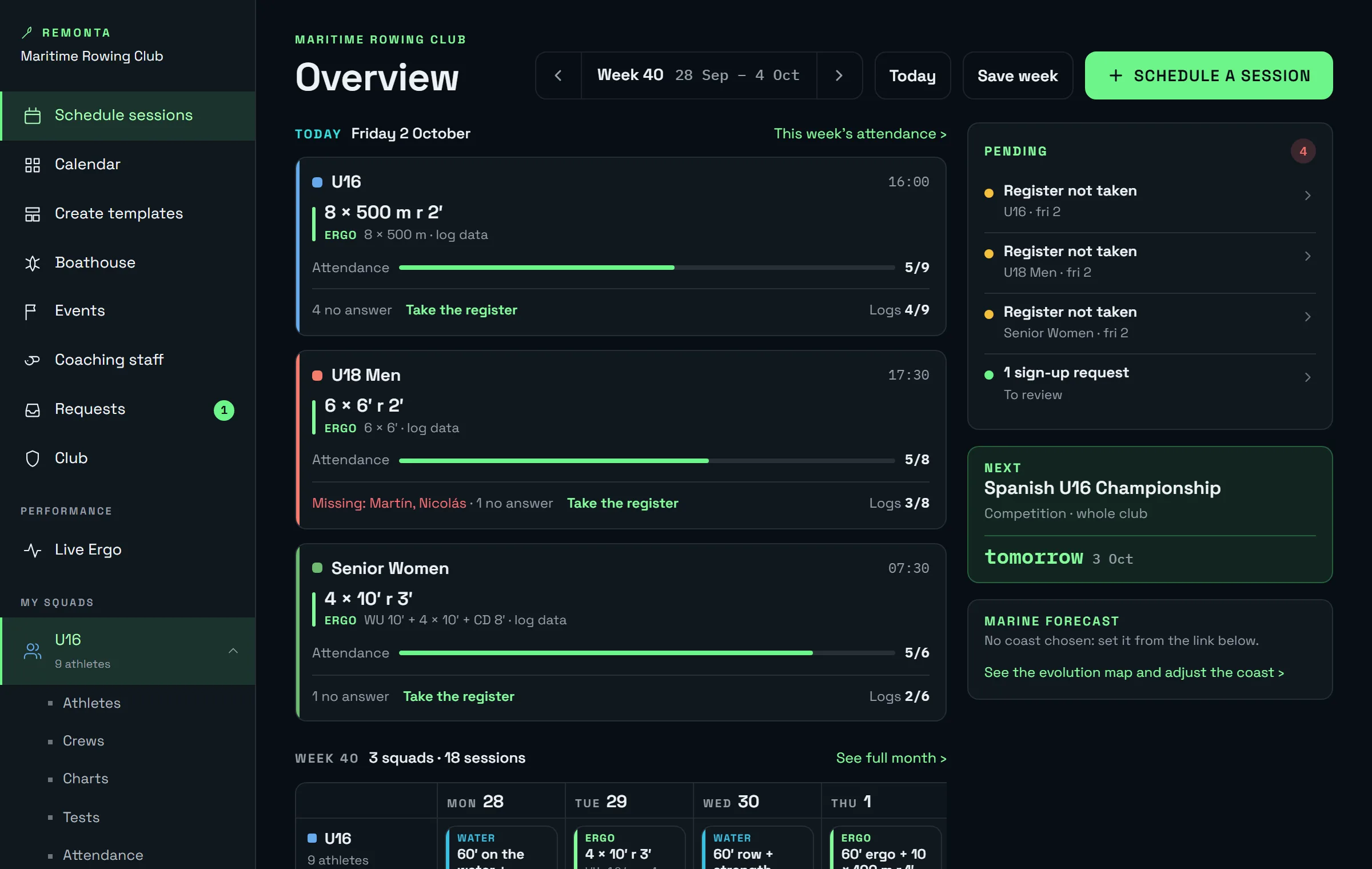
Remonta's coach portal brings together what is now spread across a spreadsheet, a WhatsApp group and everyone's memory: each squad's week, who rowed what, how every athlete is feeling and which boat goes out with whom.
Planning
Each squad's week, in minutes.
Schedule water, erg, bike, running, strength or test sessions, with their blocks and pieces. Save what repeats as a template and apply it to next week.
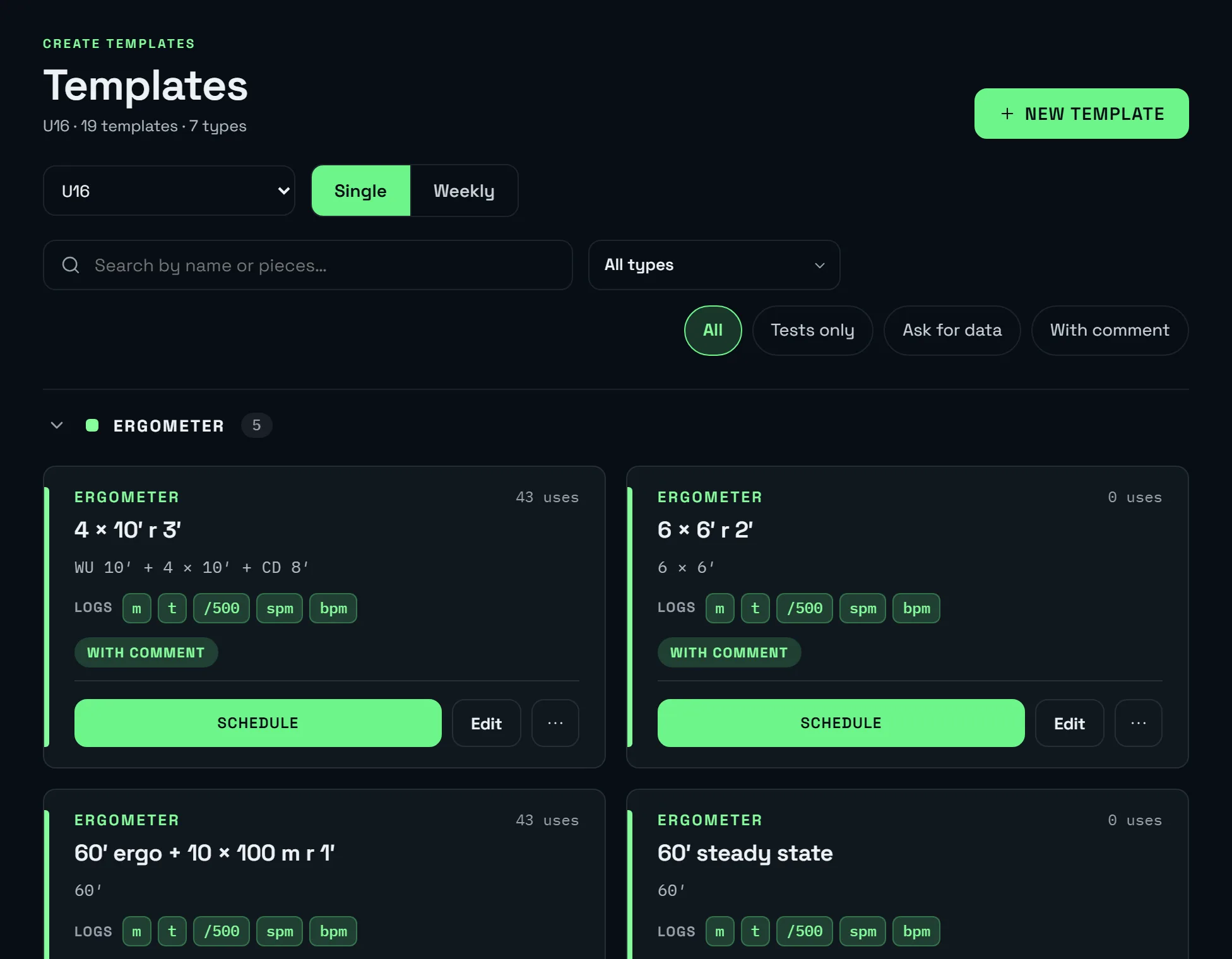
- Weekly and single-session templates. A typical pre-season week, a 4×2000 m session, a 2 km test: create them once and reuse them.
- Block-based pieces. Warm-up, main set and cool-down, with distance or time, target pace and rest.
- Exceptions without starting over. A bank holiday, a time change or an extra session is changed on the day without touching the template.
- Changes reach the phone. Whatever is scheduled or moved shows up in the athlete app, with a notification.
Performance
Charts to compare athletes.
Every piece is a point on a chart: split /500 m, watts per kilo, metres, stroke rate and heart rate, per athlete, across athletes and over time.
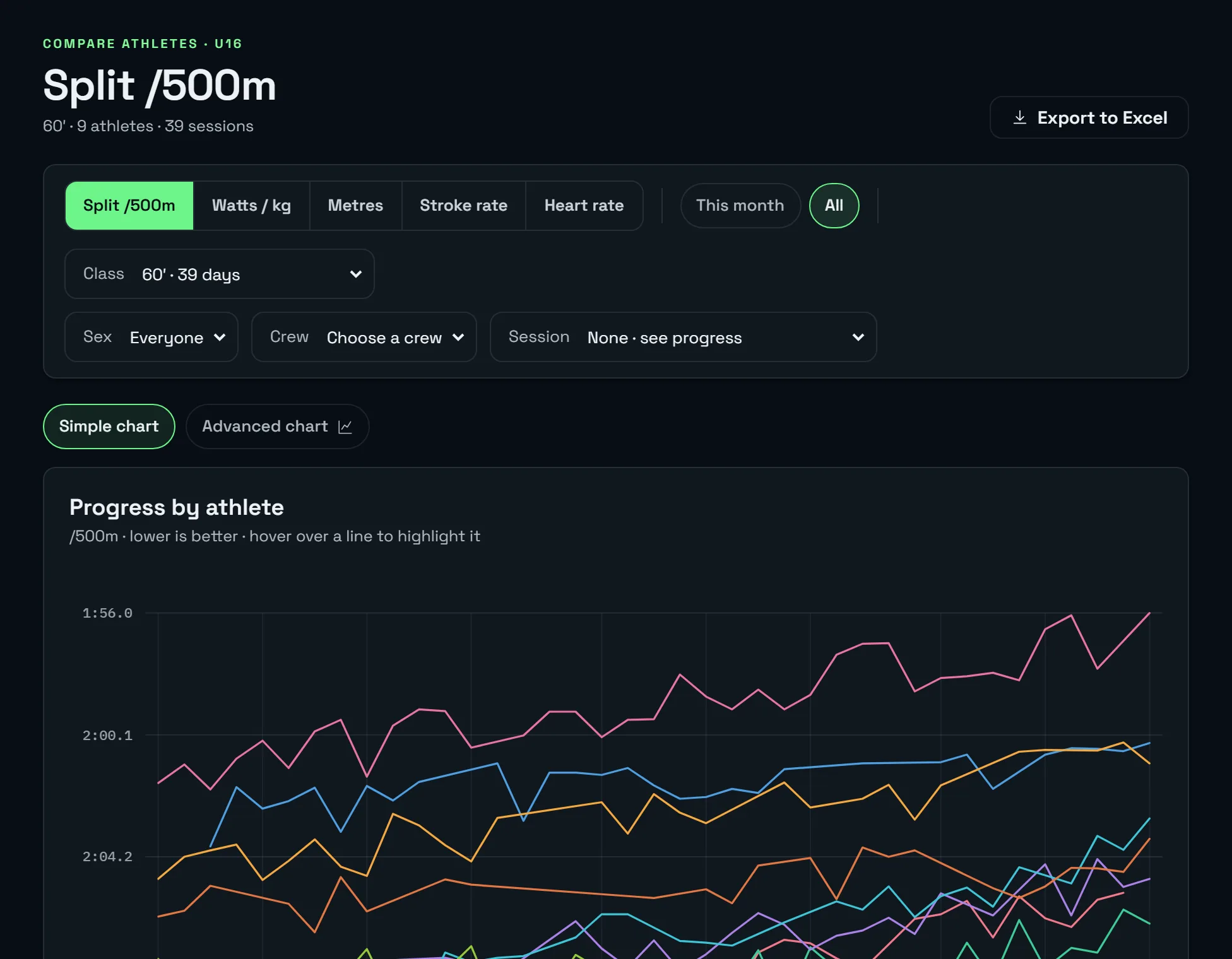
- Tests kept apart. 2000 m, 6000 m or 30-minute tests have their own view: the result, the date and each athlete's progress.
- Watts per kilo with that day's weight. It uses the weight on the session date, not the latest, so progress isn't distorted.
- Every athlete's history. Everything they've rowed, session by session, with their pieces and personal bests.
- Export to Excel. For the federation, the board or your own analysis.
Attendance and fatigue
Who's coming, who's missing and how everyone is feeling.
Athletes confirm from their phone whether they're coming. When they log the session, they report the energy they arrived with and the effort it took, separately.
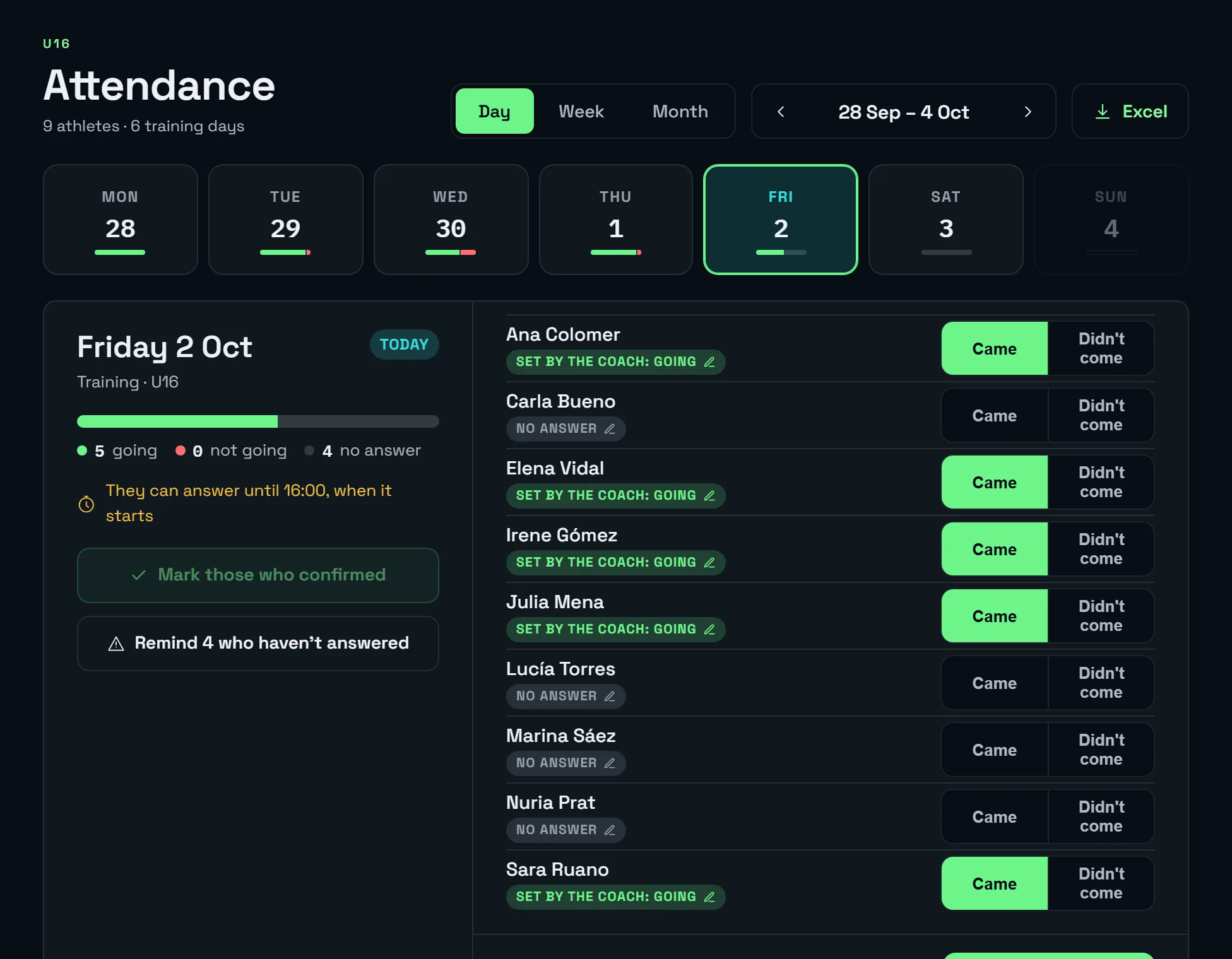
- Attendance per day. Athletes confirm from their phone and the coach knows the numbers before getting the boats out.
- Completion of every session. Who has logged their pieces and who hasn't, in the same view where it was scheduled.
- Energy and effort. An athlete who has been running on empty for a week shows up before they get injured or burn out.
- Automatic reminders. Notifications before the deadline closes, only to those who haven't answered.
Crews and boathouse
Which boat goes out, with whom and in what condition.
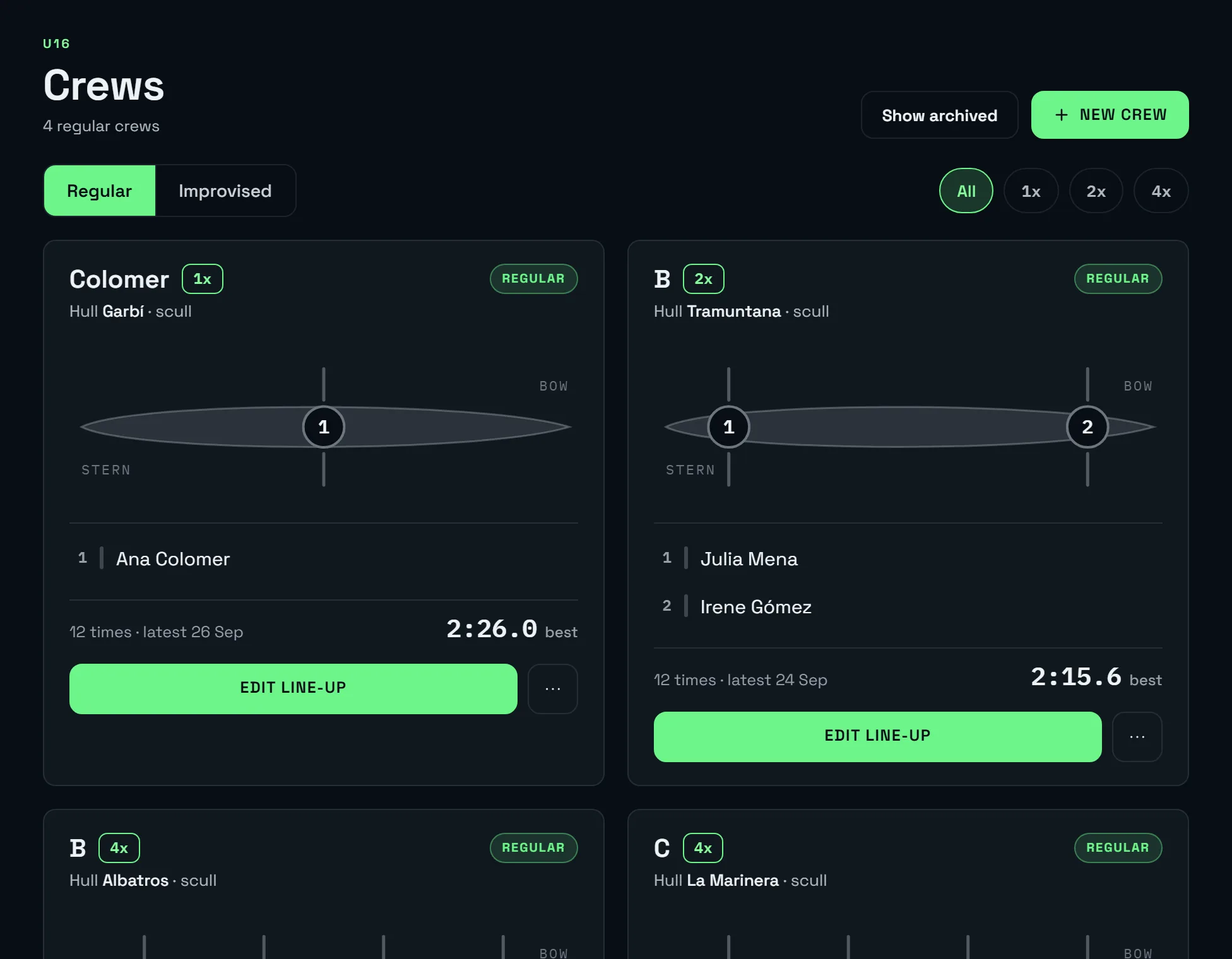
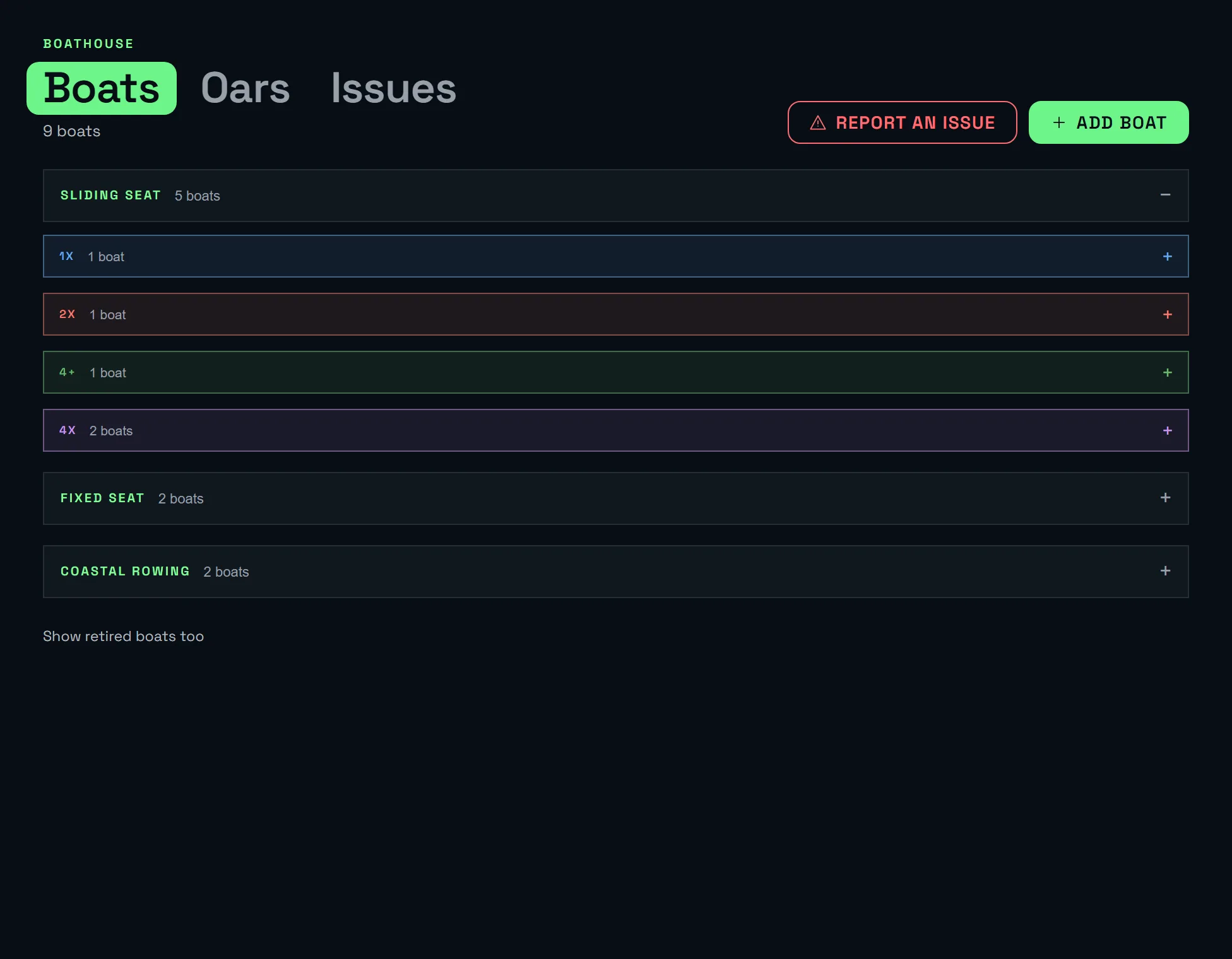
Every outing has its crew: who sits in each seat and on which side. The boathouse keeps the club's boats and oars, and damage reports go straight to the coach.
Calendar and events
The club calendar, regattas included.
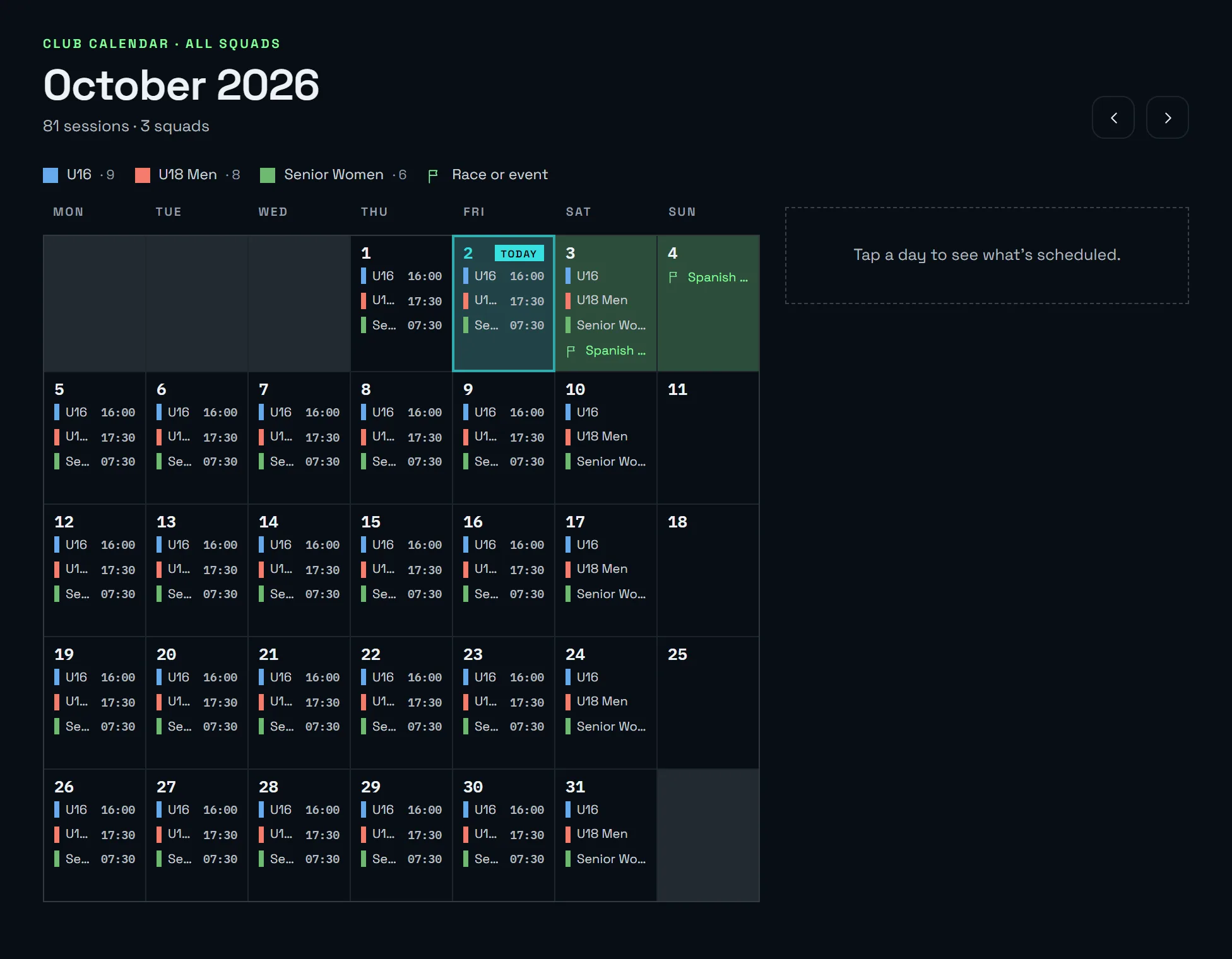
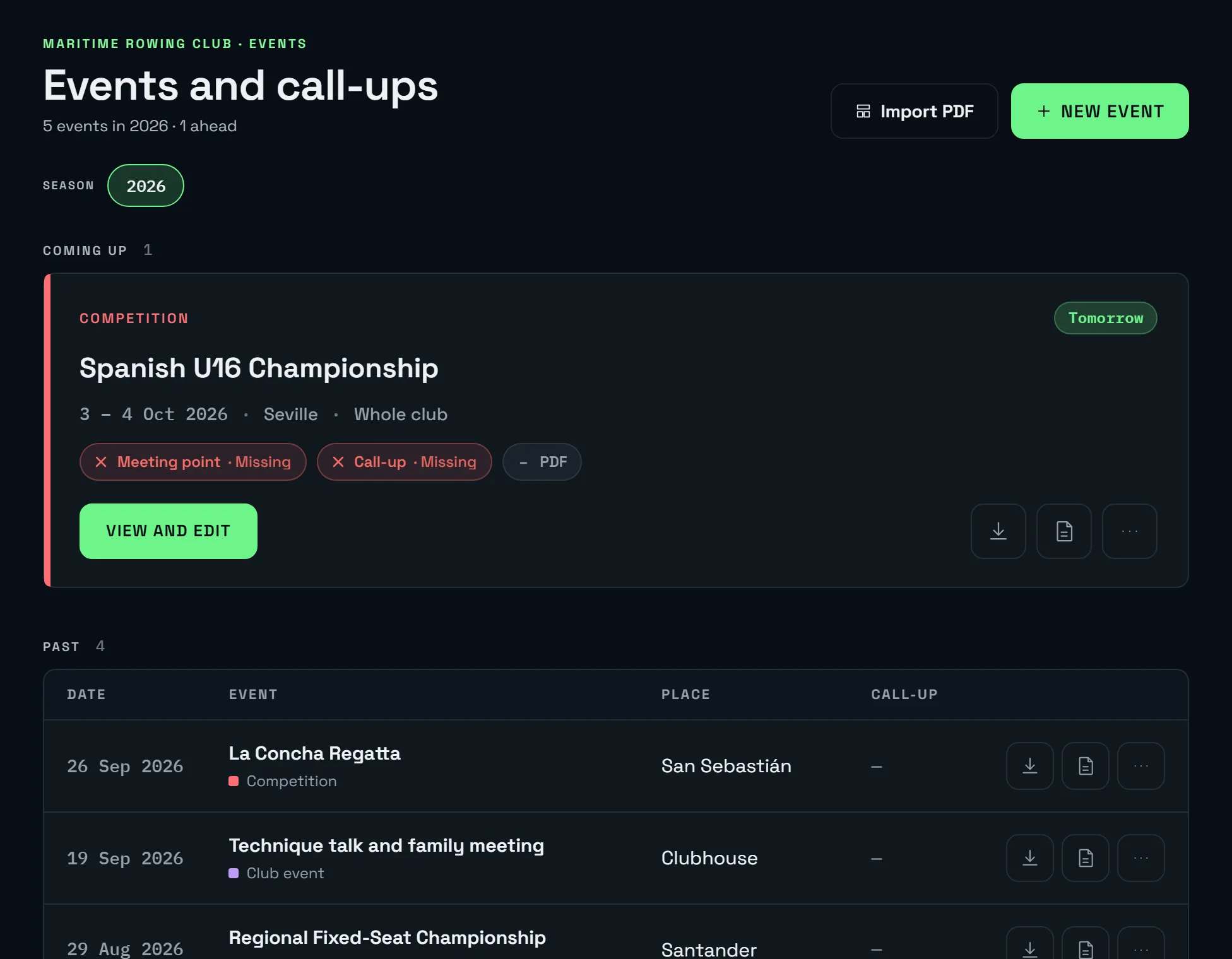
The calendar brings every squad together, one colour each. Races, tests and club events are scheduled here, and the federation's entry list is imported from the PDF.
And also
More from the portal.
Marine forecast on the dashboard
The day's wind and waves with AEMET data for the club's area, to decide between water and erg.
Automatic notifications
Attendance, schedule changes, selections, tests, join requests and damage reports, straight to the phone.
Live updates
Damage reports and results appear on your screen without reloading.
Coaching staff and requests
Coaches per squad, sign-ups approved with one click and email invitations.
Export to Excel
Charts, tests and results in a spreadsheet with one click.
Club data, in the EU
Role-based access, encrypted connections and servers in the European Union. Each club only sees its own data.
FAQ
Questions from coaches.
Can I manage several squads with different schedules?
How do I know who has done the session?
Which metrics can be compared?
Do athletes get the changes?
How many coaches can use it?
Does it work for trainera and fixed-seat coaches?
Show it to your club.
We'll show you the coach portal with a sample club in a half-hour video call. No commitment.
Already have an account? Open the app.