New · Remonta Performance
Remonta Performance: your squad on the erg, live.
Connect the Concept2 PM5 from the athlete app and today's session loads onto the monitor by itself. Row alone or in a room with your squad, with one start for everyone and a live race. The coach follows from the portal and every stroke lands in the session's charts.
Per-club add-on: +€25/month. No charge per erg or per athlete.
How it works
From the PM5 to the coach's charts, without typing a number.
- 01
Connect the PM5
From the Erg tab, over Bluetooth. The phone sits on the monitor's holder and the screen stays on.
- 02
The session loads itself
Today's planned piece goes onto the PM5: distance or time, intervals, rests and your target split.
- 03
Row alone or in a room
Join your squad's room: one start for everyone and a live race, in the same gym or each at home.
- 04
It saves itself
Every piece and every stroke go into your planned session. You only add how it felt.
PM5 connection
The PM5, connected and programmed from the phone.
Remonta is the PM5 Bluetooth app for the whole club: no cables and nothing to set up on the monitor. The athlete opens the Erg tab, picks the session and rows.
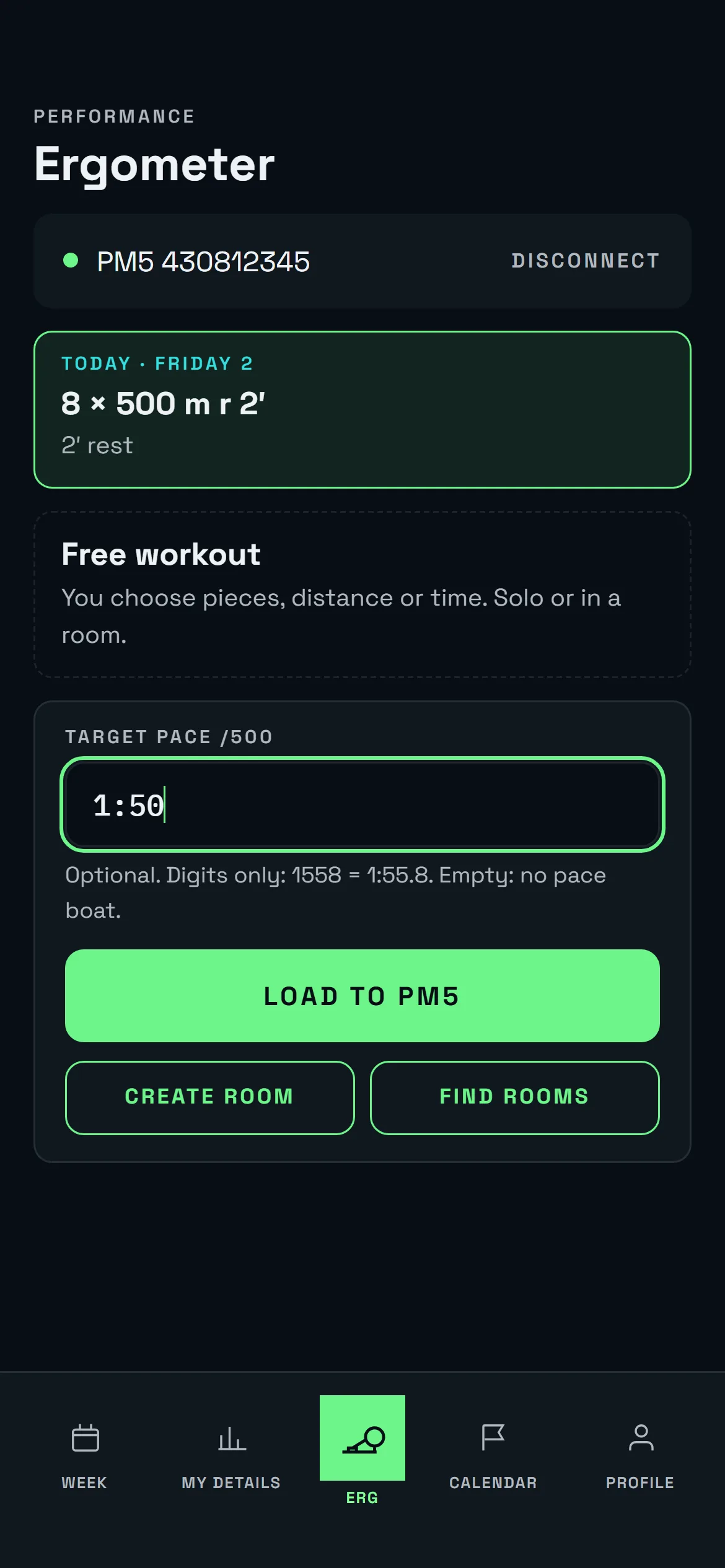
- Bluetooth from the app. In Chrome or Edge, on Android and on computers. The iPhone app is coming soon. With several PM5s side by side, the serial number tells you which one is yours.
- The workout, on the monitor. Single pieces or intervals, by distance or time, with their rests. Or a free workout you set up yourself.
- Your target split. The split turns green or red against it, and in a room it becomes your pace boat. To convert it to watts, use the split and watts calculator.
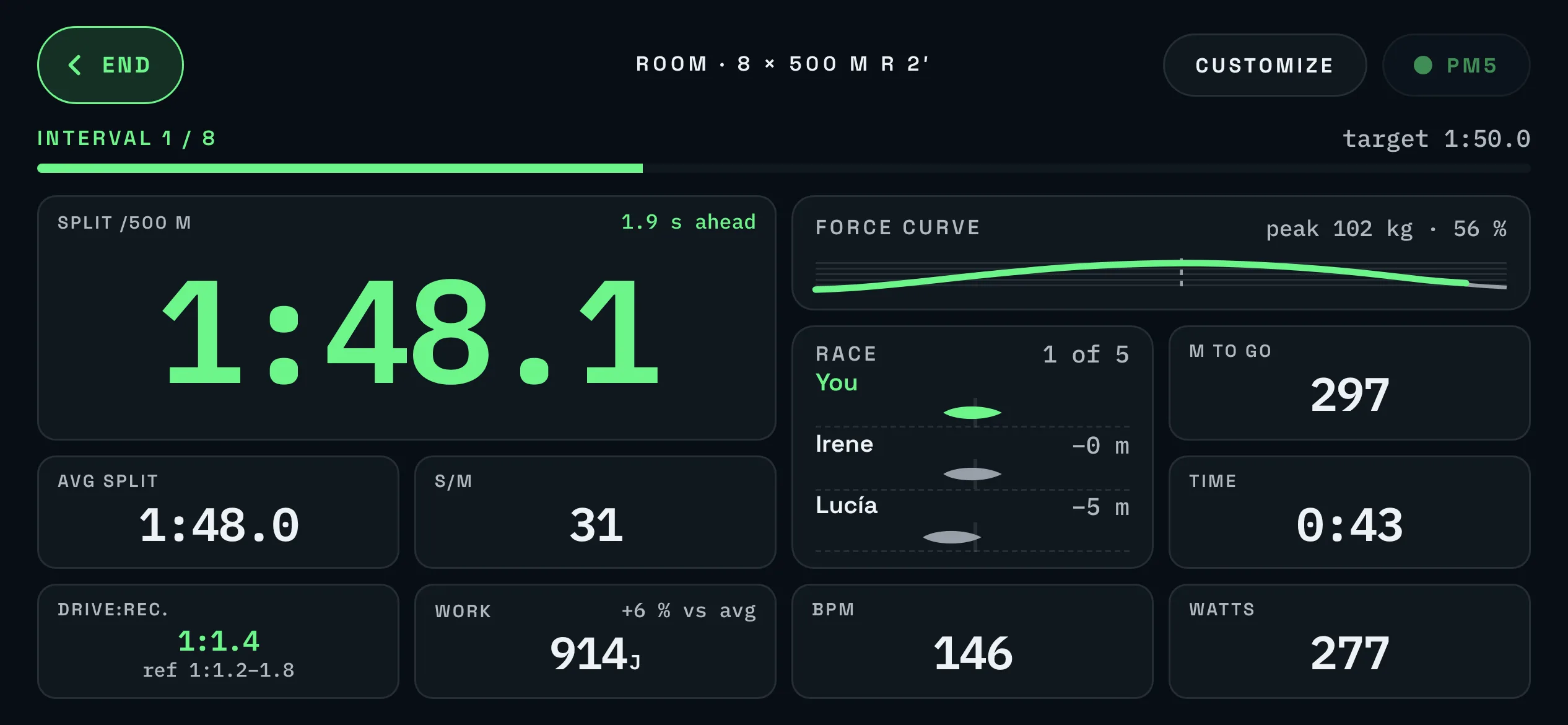
- Live data. Split /500 m, average split, stroke rate, heart rate, watts, metres and what is left to go, readable from the seat.
- If Bluetooth drops, nothing is lost. The PM5 keeps counting and the app reconnects by itself.
The erg screen
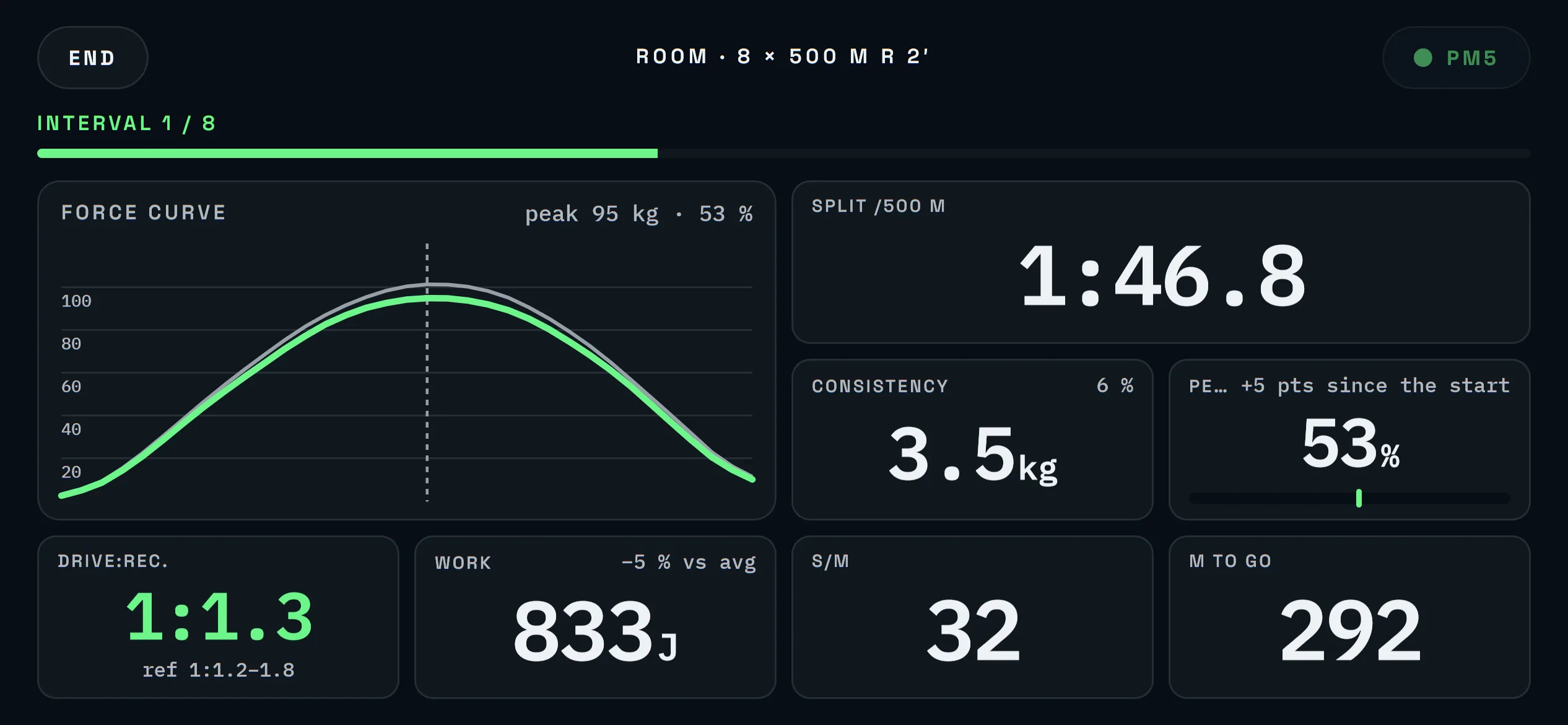
A configurable landscape screen.
Four templates (Standard, Curve, Numbers and Race) and up to three screens of your own: which data, in what order and how big. Switch it in the room or before the first stroke.
Rooms and races
Live erg races with the squad.
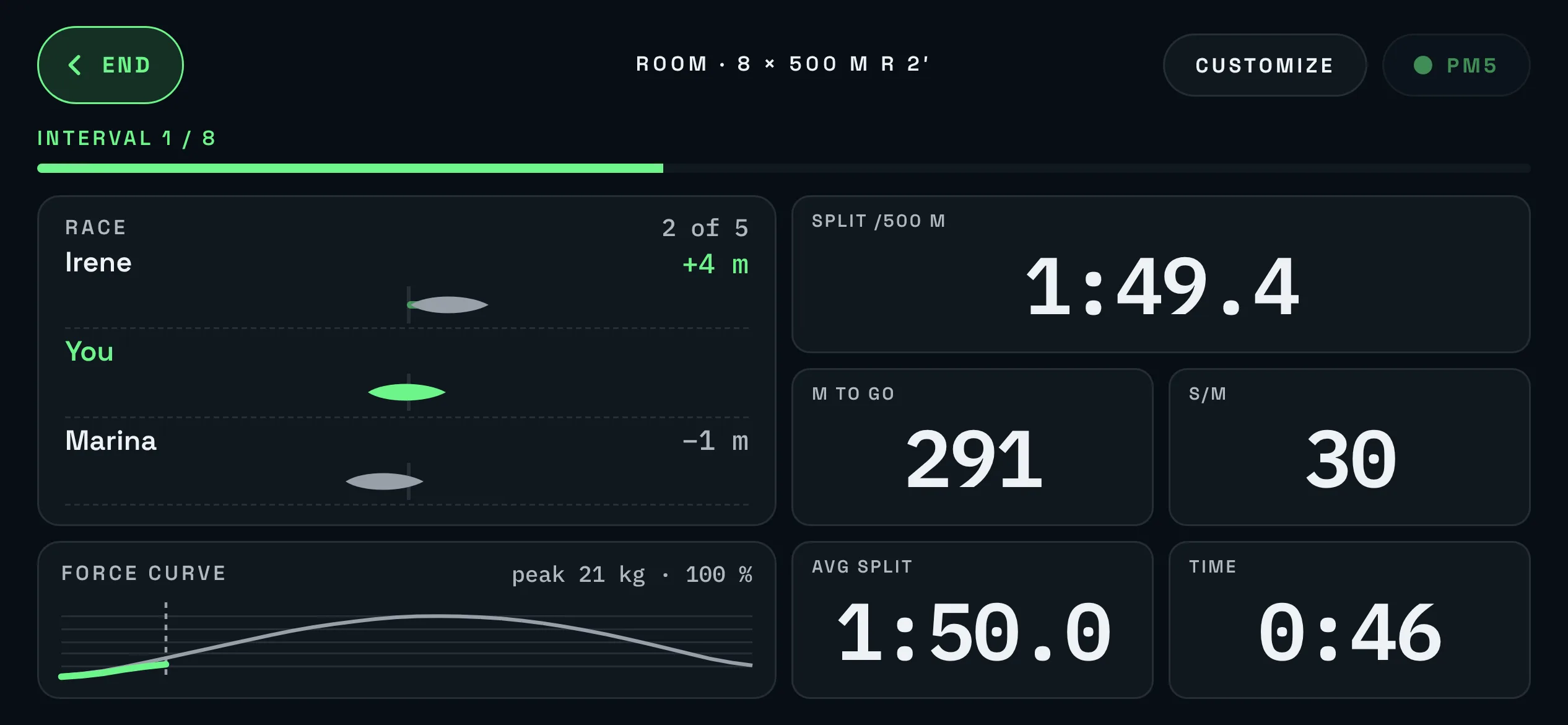
On the water you row as a crew; on the erg, everyone stares at their own screen. A room puts the squad back in the same boat: same piece, same start and the rower next to you, even 300 kilometres away.
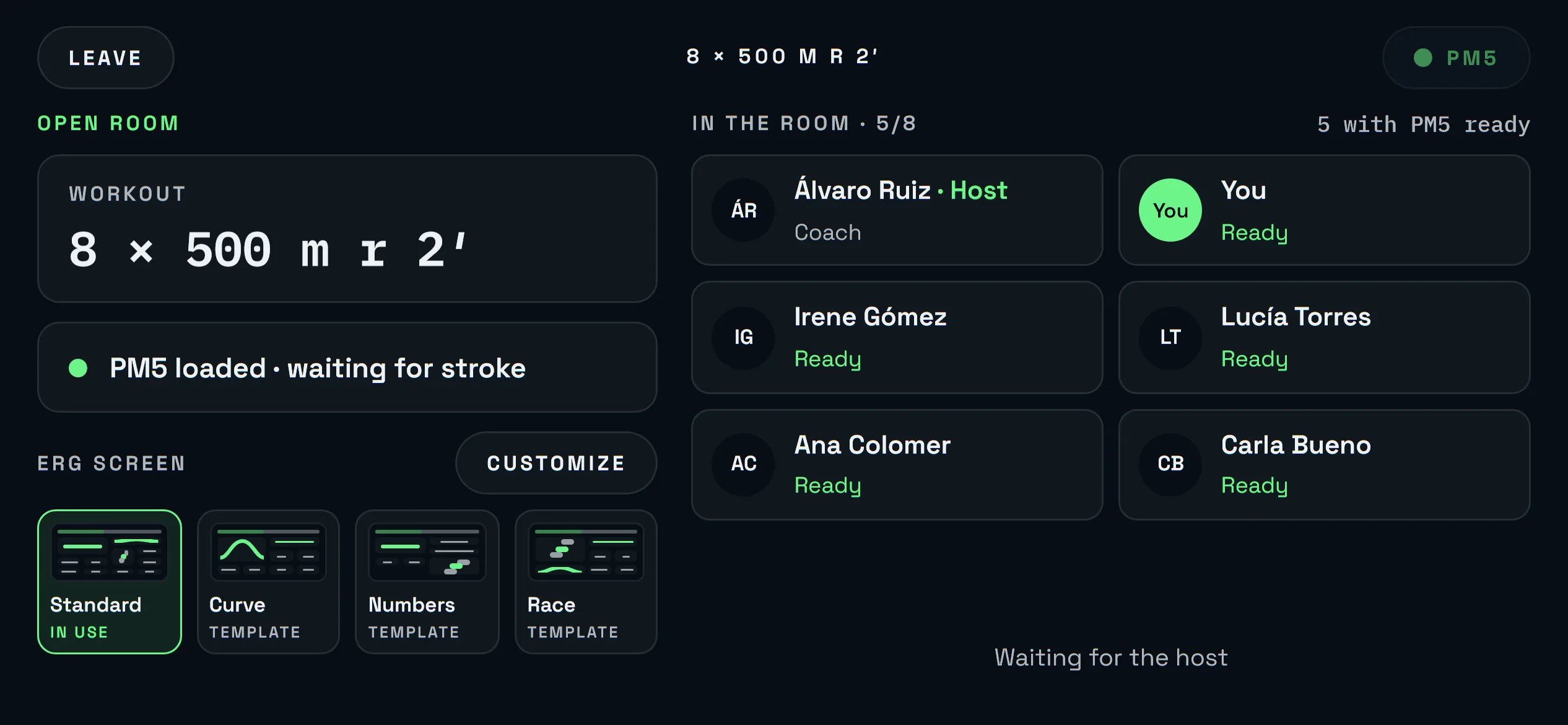
- Rooms for your club. Created from the planned session or a free workout, with an optional password and a rower limit. Only your club sees them.
- One start for everyone. The countdown runs on the server clock, so the piece starts at the same instant in the gym and at home. False starts are flagged.
- A live race. Your position and the rowers just ahead and behind, with the gap in metres. With a target split, you also race your pace boat.
- Each result where it belongs. Squad members save to their planned session; anyone else, to their own session or as a free workout.
For the coach
Every erg in the room, live, from the portal.
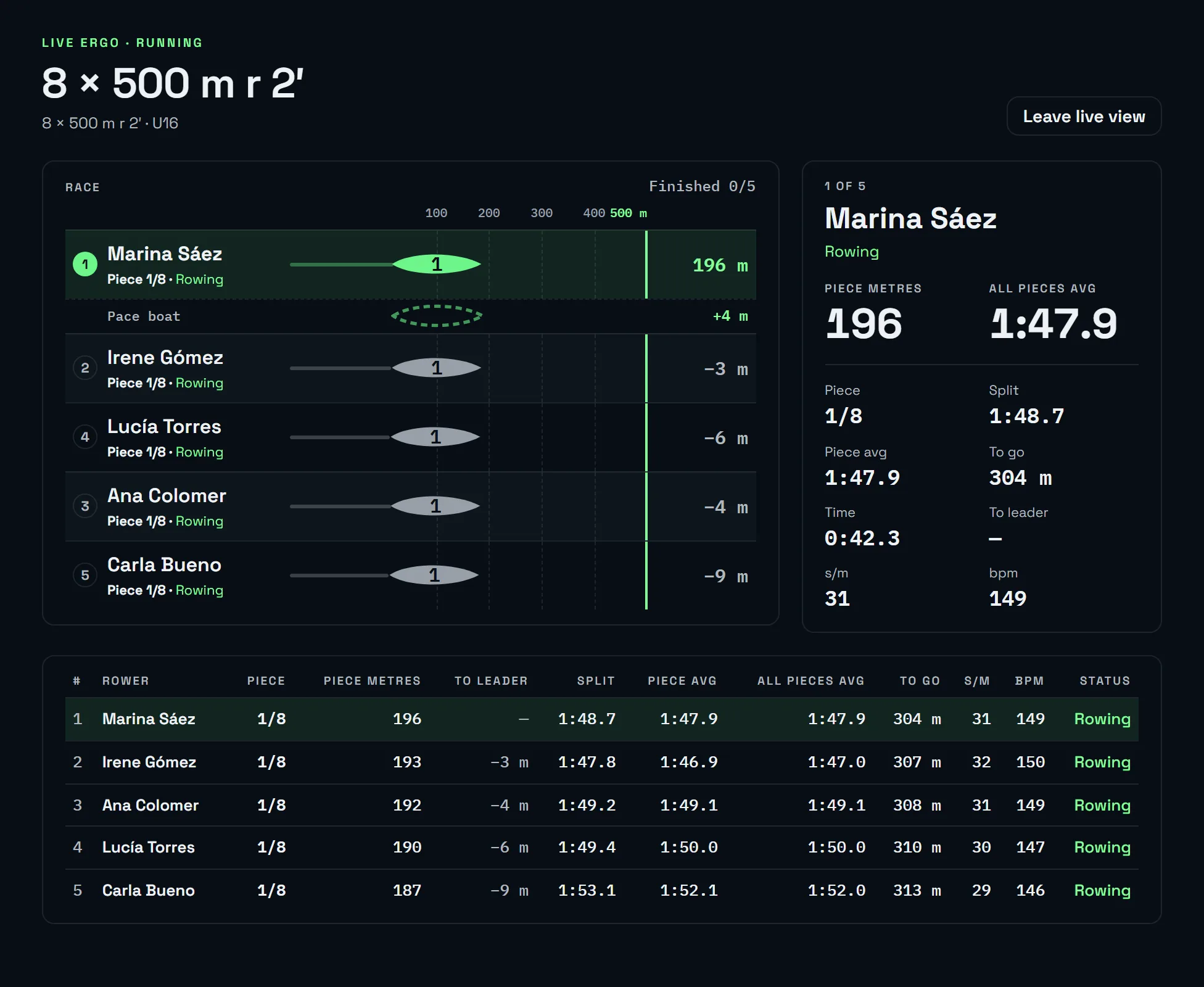
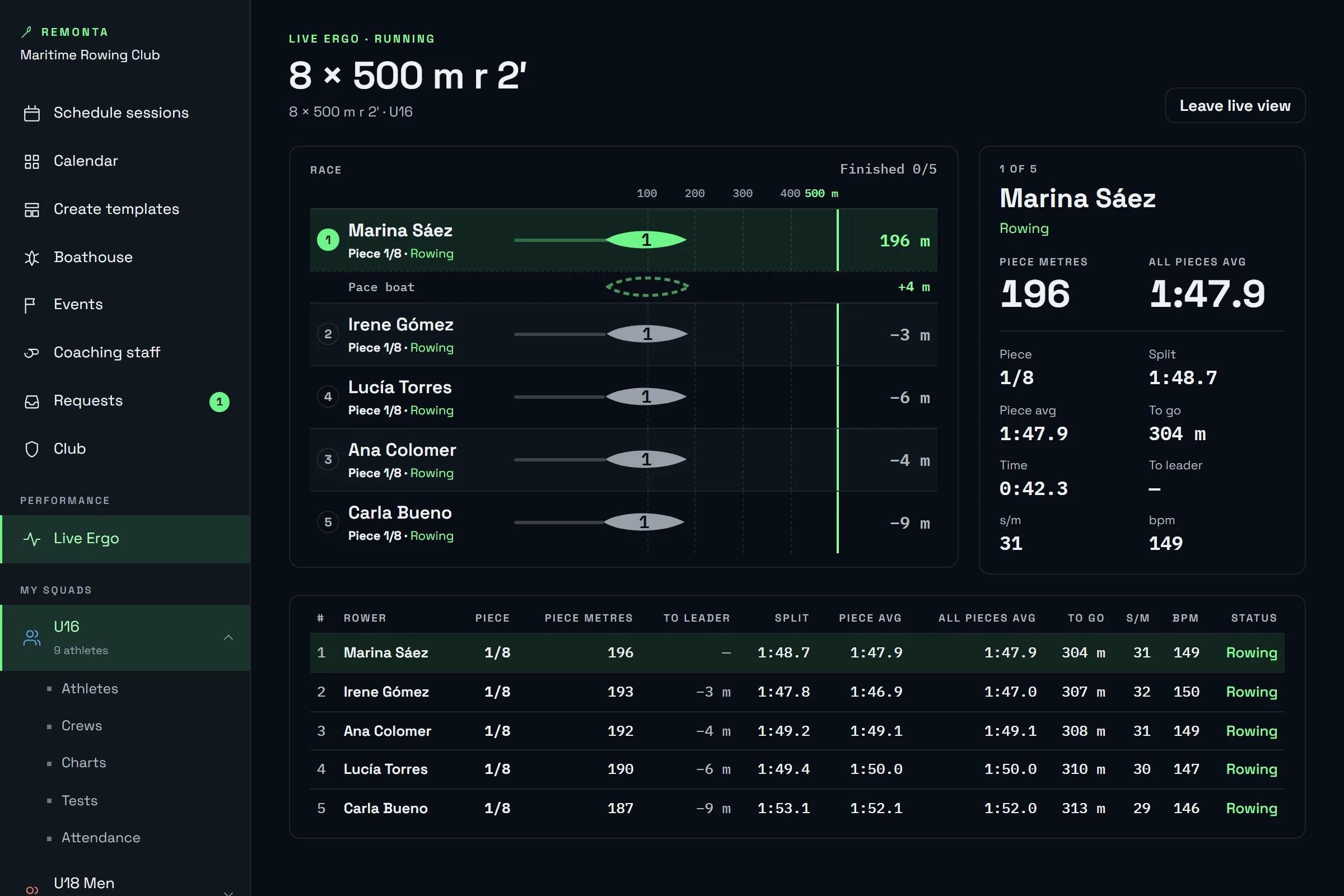
Live Ergo is the room seen from the coach portal: create it with the week's session, give the start and follow every rower piece by piece, next to the ergs or from home.
You give the start
Create the room with one of the week's sessions. Athletes join from the app and you start the race when they're ready.
Lanes and standings
Each rower in their lane, with position, gap to the leader, split, stroke rate and heart rate. Tap one to follow them.
Piece by piece
In intervals, each rower's piece, that piece's average and the average of all pieces, side by side.
Watch without rowing
The coach joins as a spectator: no seat taken, even once the race has started.
More tools
Stroke counter and beach sprint stopwatch.
Performance includes two more tools for the coach, on the water and on the beach.
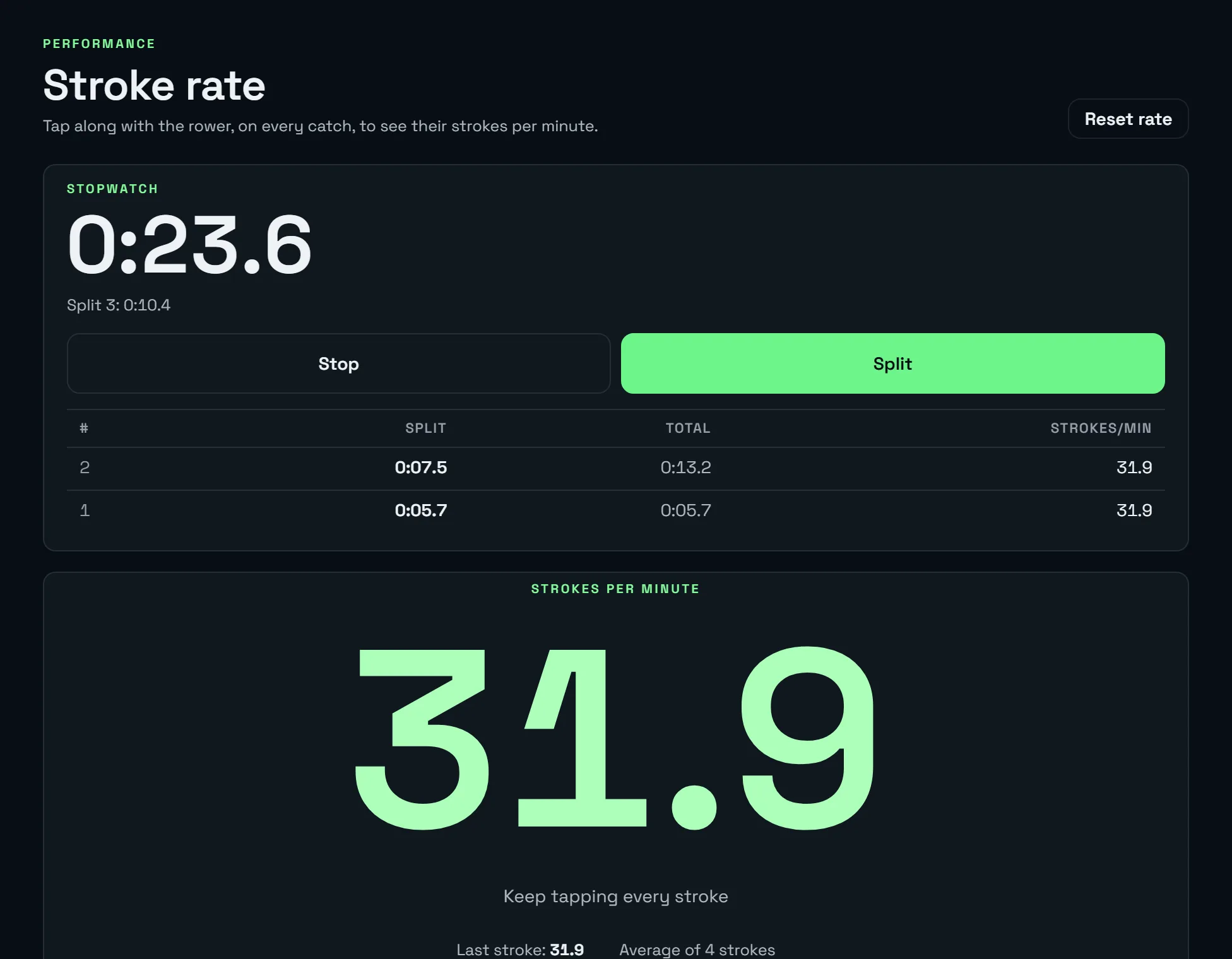
Stroke counter
Tap to the rower's pace, from the launch or the shore, and see strokes per minute. The rate is the average of the last strokes, and the stopwatch with splits records each split's time, running total and rate.
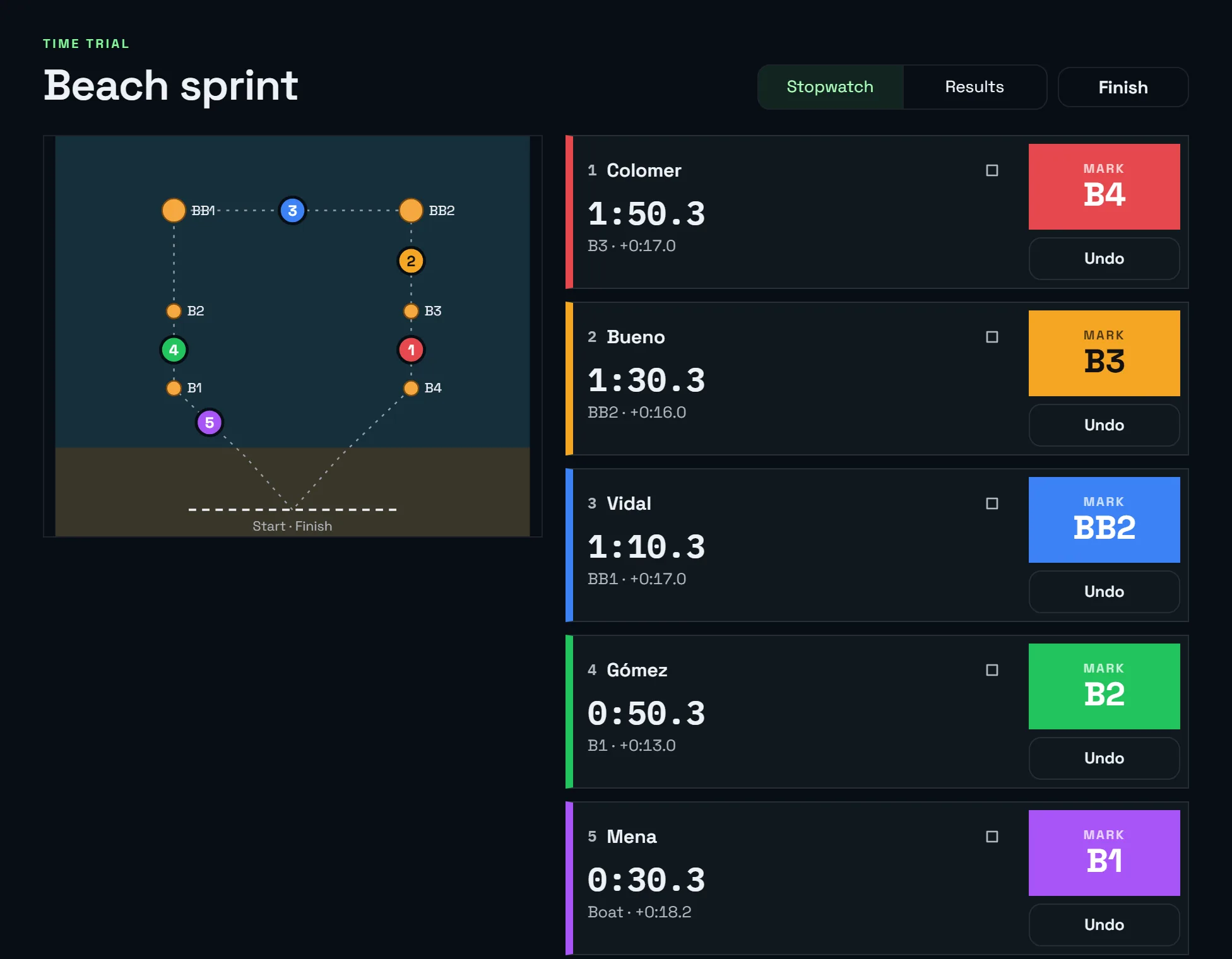
Beach sprint stopwatch
Time trial and knockout with checkpoints: several crews at once, the time of every leg and a history.
Advanced chart
The whole session, stroke by stroke, in one chart.
Sessions rowed with the PM5 from the app, from a steady piece to a 2k test, keep a summary of every stroke. The coach opens it in Charts and the athlete sees it when they finish.
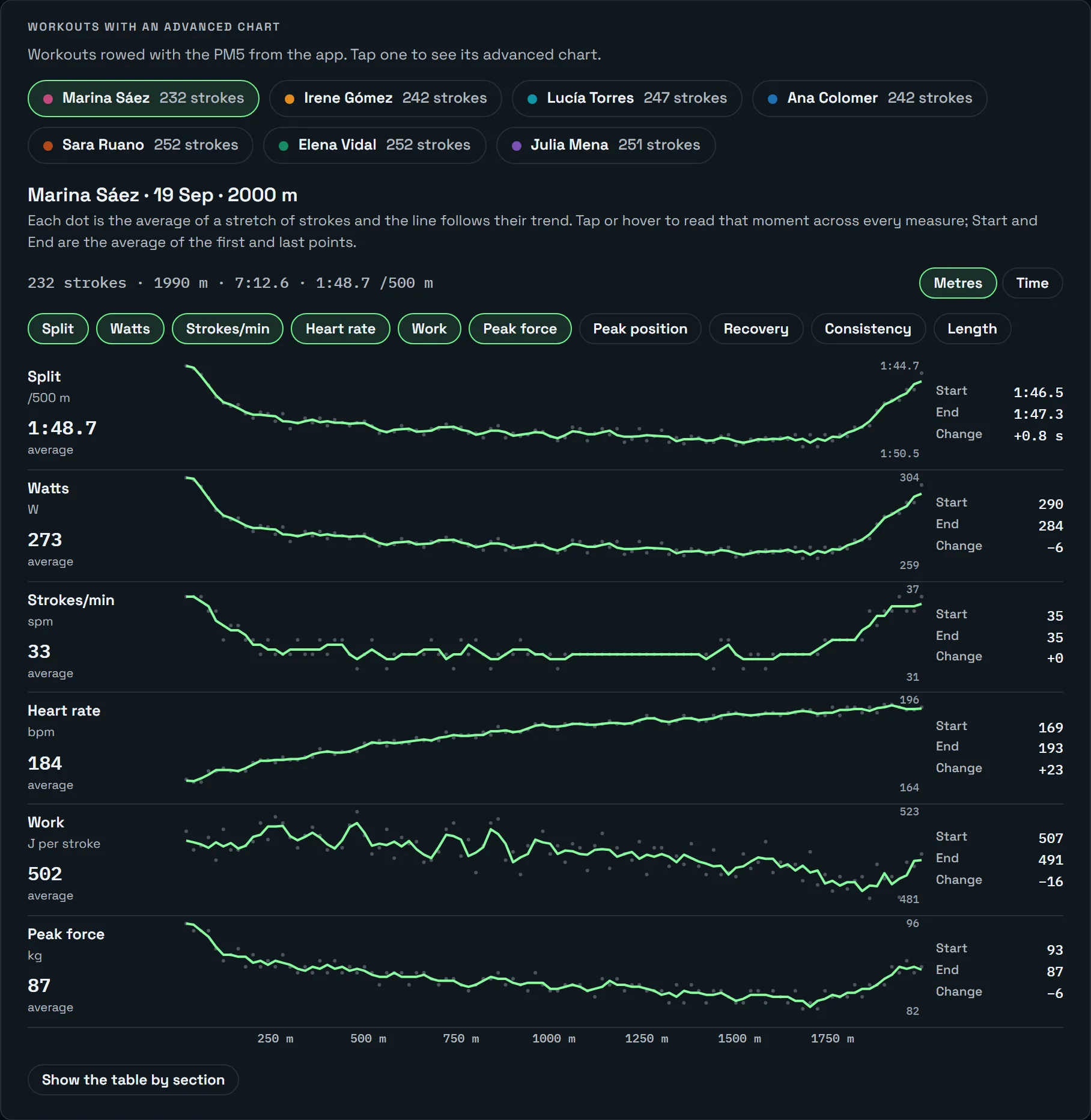
- Ten measures on the same axis. Split, watts, stroke rate, heart rate, work per stroke, peak force, peak position, recovery, consistency and drive length.
- By metres or by time. Hover or tap to read the same moment across every measure.
- Start, end and change. Where the split fades, where the rate drops, where work is lost.
- The table by piece. Or every 500 m in a continuous piece, to read it without colours.
And afterwards
Saved by itself, with how it felt.
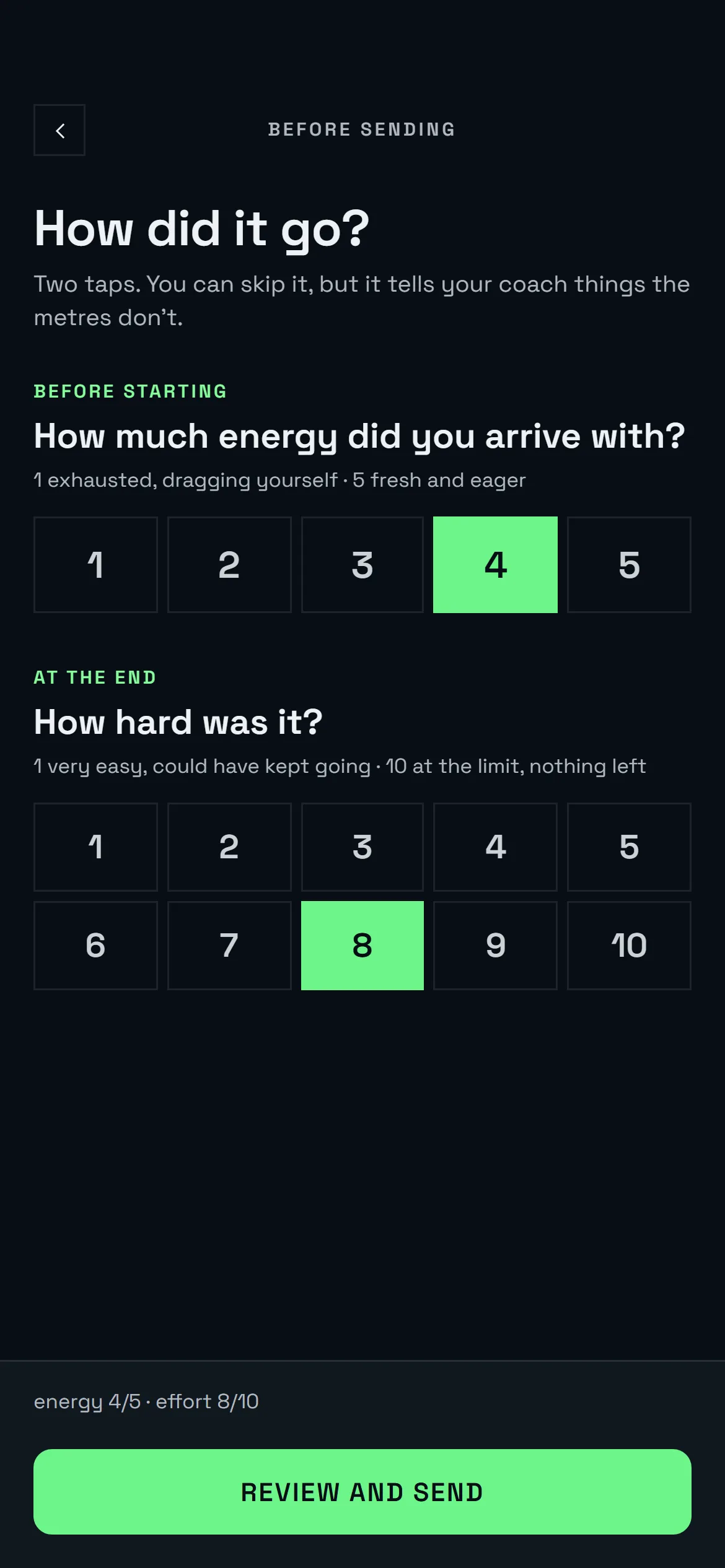
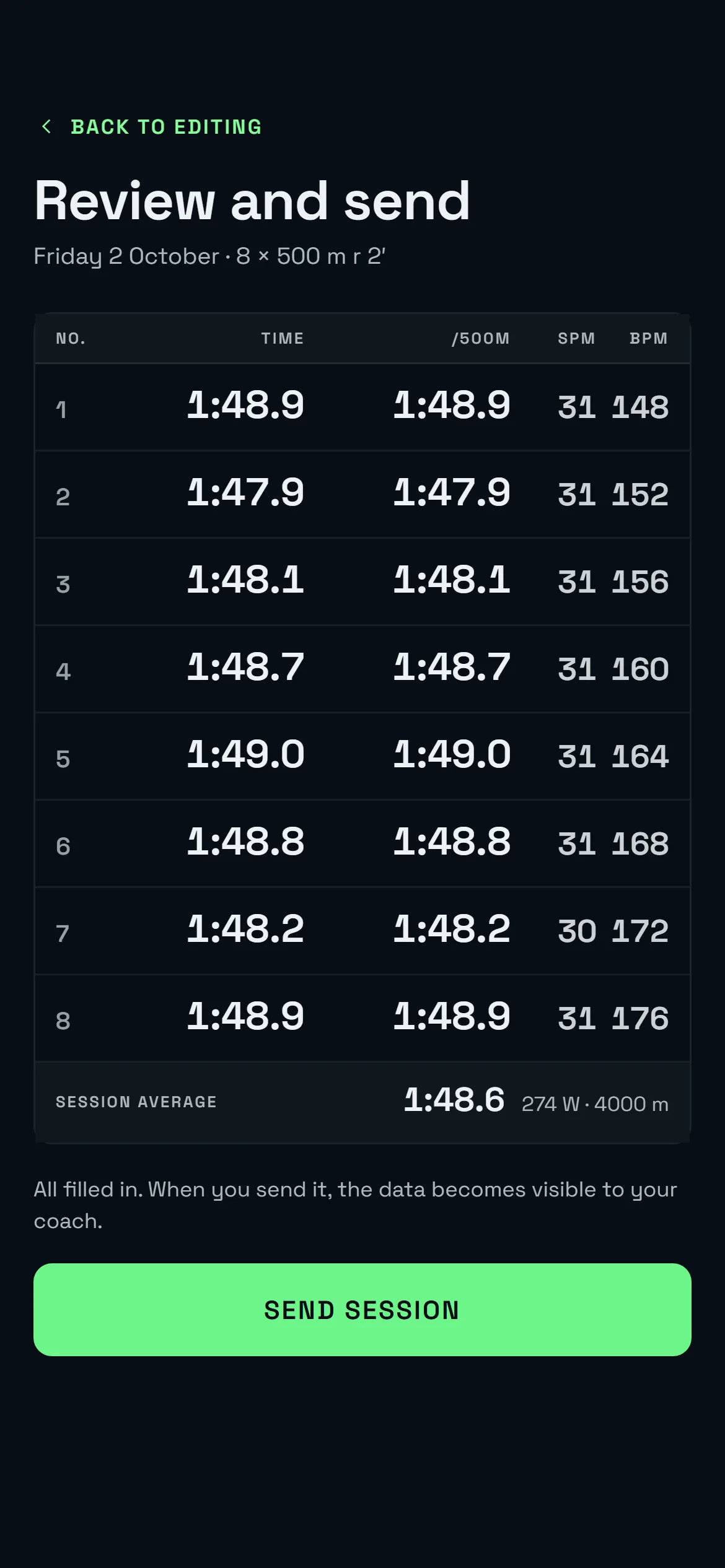
- Nothing to type. What the PM5 measured goes into the usual log: energy and effort, review and send.
- No signal, nothing lost. A finished workout that can't be sent stays on the phone until it can.
- Into the club's statistics. Split, watts per kilo, stroke rate and heart rate end up where they always do: in the coach's charts and in the athlete's history.
FAQ
About Performance.
What do we need?
Does it work with ErgData?
Does the coach need a PM5?
Can we row from different places?
How much does it cost?
Is Remonta a Concept2 product?
Put your squad's erg sessions on screen.
We'll show you Performance with your own sessions: the PM5, a room with a race and the coach's live view.
Already have an account? Open the app.